PDF Editor
Add text, shapes, comments, and highlights to PDFs with speed and confidence. A secure, scalable solution for high-volume PDF editing.
Select PDF file

or drop PDF here
PDFs aren't one-way anymore. Our high-performance PDF Editor lets you edit text, insert images, shapes, highlights, and annotations - with no account or email required.
-
Drag-and-drop your PDFs to process at scale-fast, reliable, and enterprise-ready.
-
Editor delivers universal, browser-based access-works across all major browsers and operating systems, with enterprise-grade stability.
-
Edit PDFs at blazing speed with scalable capacity-unlimited, performance-driven for heavy workloads.
Edit Your PDFs Online - Fast, Powerful, Scalable
No costly software required. Our high-performance editor gives you full control to reshape PDFs at scale.
Edit Your PDFs Your Way
Enhance PDFs with text, images, shapes, and drawings at scale. Precision customization for enterprise workflows.
How Does the PDF Editor Work?
Upload your PDF and start editing instantly. Add text, notes, and highlights; download or share swiftly at scale.
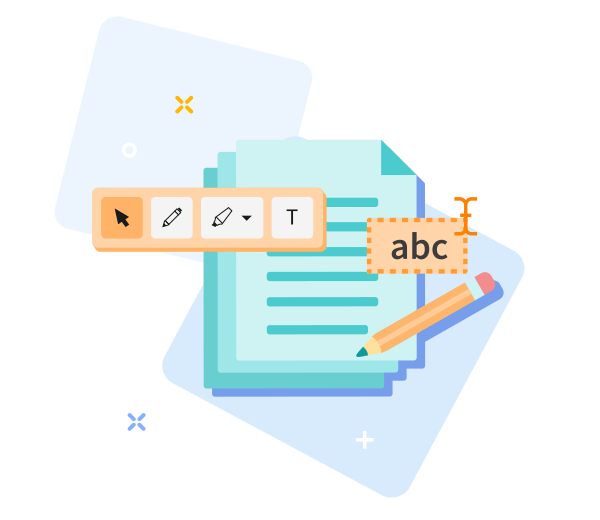
Quick to Save, Easy to Share
Drag, drop, edit freely, save, and share your PDF in seconds - optimized for high-capacity workloads.

Edit PDF Online - Fast, Scalable, Enterprise-Grade
Drag and drop your PDF to start editing-built for big, complex documents. Scale your edits with confidence and speed; click “Edit PDF.” Your file is prepared with enterprise-grade performance in moments.
Easily Adjust Your Options
Not satisfied with the result? Rewind with a single click and reselect options anytime-maintaining consistency, control, and reliability at scale.
Edit PDFs Anywhere
Our editor runs seamlessly on desktops and mobile devices, Android and iOS included-delivering consistent, enterprise‑grade performance at scale across all workloads.
Encrypted File Transfer
Big PDF Capabilities security: Real-time protection with end-to-end TLS during editing; maintain secure, scalable workflows from intake to delivery.
Edit PDFs Reliably
Annotate with precision-draw shapes, arrows, or freehand with fluid performance. Enterprise-grade TLS guards ensure security and reliability for every operation, any time.
Work in the Cloud
Operations occur in the cloud, maximizing throughput and freeing local resources for big workloads. Edit anywhere with consistent performance at scale.
Frequently Asked Questions
Yes. This Edit PDF tool provides free online access at enterprise scale. Edit PDFs without registration, watermarks, or software installation. Some advanced editing features may have usage limits to preserve performance under heavy workloads.
You can add or modify text, insert images, annotate, and adjust layout elements directly in your browser. Engineered for fast, reliable editing at scale, supporting performance-driven PDF workflows.
Yes. End-to-end security with HTTPS encryption is maintained throughout upload and editing. In line with Big PDF Capabilities, PDFs are automatically purged from our secure systems after a brief retention window to preserve privacy and data integrity.

Big PDF Capabilities: How to Edit a PDF Online at Scale
Step-by-step guide to unleash scalable PDF editing with our tool:
- Upload your PDF to begin scalable editing in seconds.
- Tailor text and images, and annotate with precision-optimized for high-capacity workloads.
- Drag to reposition text and images with precision-unparalleled control for massive PDFs, engineered for scale and speed.
- Download the edited PDF file.
 Remove pages